
AI Translation Smart Glasses are moving language assistance from a phone screen into the user’s immediate field of view. These glasses combine microphones, cameras, speakers, language models, and wireless connectivity. They can capture spoken phrases, process translations, and deliver audio or visual results within seconds. In a busy airport, a traveler might hear a translated announcement while viewing directions through a lens. It feels practical. It is not magic.
Industry forecasts show strong commercial interest. Grand View Research estimates that the global smart glasses market could expand at a 27.3% compound annual growth rate from 2024 to 2030. MarketsandMarkets also projects substantial growth for the broader smart-glasses sector through 2029. Estimates vary because companies define “smart glasses” differently. This matters. Not every smart-glasses shipment supports real-time translation.
Andrew Bosworth, Meta’s chief technology officer, has described glasses as “the perfect form factor for AI.” His observation reflects a central advantage: glasses can provide assistance without requiring users to hold a phone. However, translation quality still depends on accent recognition, background noise, internet access, and language coverage. A crowded railway platform can expose weaknesses quickly. Privacy also requires careful attention, especially when cameras and microphones remain active. AI Translation Smart Glasses may become useful travel and workplace tools, but their reliability should be tested in real environments, not only polished demonstrations. Industry excitement is justified, though some promises remain ahead of everyday performance.
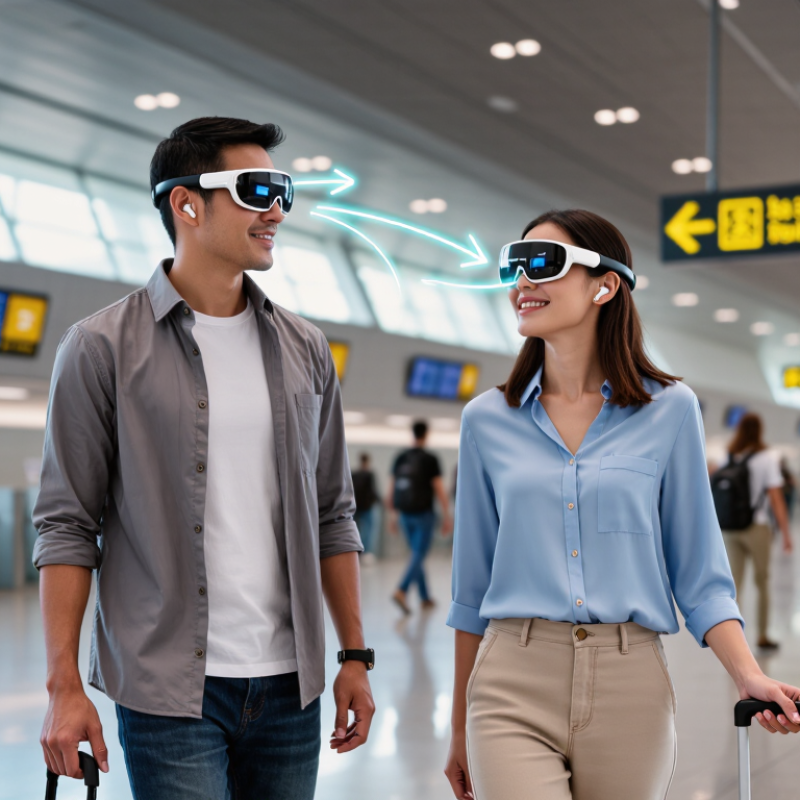
AI translation smart glasses are wearable computers that help people understand spoken language in real time. They usually combine tiny microphones, speakers, cameras, sensors, and a transparent display. The glasses capture nearby speech, convert it into text, translate the meaning, and present subtitles near the wearer’s view. Some models process data on the device. Others send audio to cloud-based AI systems.
The need is substantial. Ethnologue’s 27th edition records 7,164 living languages worldwide. Communication becomes difficult when travelers, patients, students, or customers share no common language. CSA Research reported that 76% of consumers prefer products with information in their own language, while 40% will not buy products in another language. Translation glasses respond to this gap by making language support hands-free. A user might hear Mandarin and see short English captions beside a speaker’s face.
The technology still has rough edges. Background noise, accents, rapid speech, and poor internet access can reduce accuracy. Facial movement may also distract the wearer. Translation is not always literal; cultural meaning can disappear between languages. Industry testing should therefore measure word accuracy, delay, privacy protection, and performance across different speakers. The experience feels immediate.
It is not perfect.
| Data Dimension | What It Means | How It Works in Translation Glasses | Practical Considerations |
|---|---|---|---|
| Core Purpose | Real-time or near-real-time language assistance | The glasses capture spoken or written language and present a translated result through audio, text, or both. | They are an assistive communication tool, not a guaranteed replacement for a professional interpreter. |
| Audio Input | Spoken words received through microphones | Built-in microphones record speech, while noise-reduction and voice-isolation algorithms help identify the speaker’s words. | Background noise, overlapping conversations, accents, and low volume can reduce recognition accuracy. |
| Visual Input | Printed or displayed text viewed through the glasses | A camera may capture signs, menus, labels, or documents; optical character recognition converts visible text into machine-readable characters. | Small fonts, poor lighting, glare, unusual layouts, and blurred text may affect results. |
| Speech Recognition | Conversion of speech into text | An automatic speech-recognition system analyzes the audio signal and generates a text transcript before translation. | Punctuation, names, technical terms, and conversational slang may be transcribed incorrectly. |
| AI Translation | Conversion from one language into another | A machine-translation model uses the source transcript or recognized text to generate a target-language version. | Meaning can vary with context, idioms, cultural references, grammar, and specialized vocabulary. |
| Output Methods | Ways the translated information reaches the user | Results may be spoken through open-ear speakers, displayed as captions, or shown as translated text over the user’s view. | Audio supports hands-free use; visual captions are useful in noisy places but require the user to look at the display. |
| Display Technology | Method used to show translated text | Some designs use a small near-eye display or projection system to place captions within the wearer’s field of view. | Brightness, viewing angle, text size, and transparency influence readability and comfort. |
| Connectivity | Communication with processing services or a paired device | Translation may be processed locally, through a connected phone, or through remote computing services accessed over the internet. | Online processing generally depends on network availability; offline features may support fewer languages or functions. |
| Processing Sequence | The steps from input to translated output | Capture → speech recognition or text recognition → language identification → machine translation → audio or visual presentation. | Each additional step can introduce delay or errors, especially when the source signal is unclear. |
| Language Identification | Determination of the source language | The system can use selected settings or automated language detection before producing a translation. | Short phrases, similar languages, code-switching, and mixed-language speech can make automatic detection less reliable. |
| Latency | Time between a speaker’s words and the translated result | Delay depends on audio capture, recognition, translation, network conditions, and output rendering. | Short, clearly spoken phrases usually produce a smoother experience than rapid, uninterrupted speech. |
| Power Requirements | Energy needed for sensors, processing, connectivity, and output | The battery supports microphones, cameras, wireless communication, processors, speakers, and any display components. | Camera use, bright displays, continuous audio processing, and network activity can increase power consumption. |
| Privacy and Security | Protection of recorded speech, images, and translated content | Depending on the design, captured data may be processed on the device or transmitted to another device or remote service. | Users should understand recording indicators, permissions, retention policies, and local laws before using the glasses in public. |
| Best-Fit Use Cases | Situations where the technology can provide practical assistance | Travel, basic conversations, navigation signs, menus, informal meetings, and quick reading of foreign-language text. | For medical, legal, emergency, or safety-critical communication, human verification remains important. |
Small microphones near the frame pick up nearby speech. Software separates words from surrounding sounds. Noise wins sometimes.
Translated words usually appear near the lower lens edge. They should remain readable without covering the speaker’s face.
Some systems use small open-ear speakers. You may hear the original voice or translated speech. This helps when reading feels inconvenient.
Yes, a short delay is common. Several seconds can feel awkward. Speakers may pause while waiting for captions.
They can help during travel, workplace meetings, and multilingual conversations. A traveler can read directions while keeping both hands free.
Café dishes, strong accents, slang, fast speech, and overlapping voices can confuse the system. Lighting and network access may also affect performance.
No. The software may miss humor, local expressions, or emotional tone. Check names, numbers, and instructions aloud.
Microphones may capture nearby voices. Tell people when appropriate, and avoid careless use in private conversations. The boundary is not always clear.
No. They are useful aids, not fully reliable interpreters. Human review remains wiser for important discussions. I would not rely on them completely.
AI Translation Smart Glasses are wearable devices designed to recognize spoken language and help users understand conversations in real time. They typically combine miniature microphones, cameras or visual sensors, a processor, wireless connectivity, speech-recognition software, machine-translation systems, and audio or visual displays. When someone speaks, the glasses capture the sound, reduce background noise, convert speech into text, and analyze its meaning. The translated result is then delivered through discreet speakers, bone-conduction audio, or an in-lens display, allowing the wearer to follow a conversation without constantly checking a phone.
These glasses may support travel, education, customer service, international meetings, and communication between people who speak different languages. Their main benefits include hands-free interaction, faster understanding, and greater accessibility in everyday situations. However, performance can be affected by accents, loud environments, internet availability, translation complexity, battery life, and language coverage. Privacy and data protection are also important considerations, especially when conversations are processed by connected software.