
Official NoticeBuy only from authorized TOZO channels — beware of imitation websites.

WorldwideFree shipping to 200+ countries and regions.

Global PartnersRetail & distribution programs available for overseas buyers.

0%

Choosing Low-Latency Gaming Headphones in 2026 takes more than chasing a low number on a product box. A fast signal matters, but so do stable wireless performance, clear positional audio, microphone quality, comfort, and battery life. A headset can feel quick in a quiet room, then stumble when a crowded wireless environment adds interference. Small details count: footsteps should stay distinct, dialogue should remain clear, and controls should be easy to reach during a match.

Headphone researcher Dr. Sean Olive has studied how listeners evaluate headphone sound. A useful summary of his research—not a verbatim quotation—is: “Trust measured performance, then confirm that the sound suits your own listening.” That distinction matters. A latency figure alone cannot guarantee a satisfying gaming experience, and published results may vary with connection method, device, and test setup. Be cautious of claims that omit those details.

This guide compares wireless and wired options, explains how latency is measured, and identifies features worth checking before you buy. It also considers practical trade-offs, including sound quality, comfort, and platform compatibility. No single headset fits every player. A competitive PC gamer may prioritize a reliable 2.4 GHz connection, while a console player may value simpler setup and longer battery life. The best choice is the one that performs consistently in your games—not merely the one with the boldest claim.
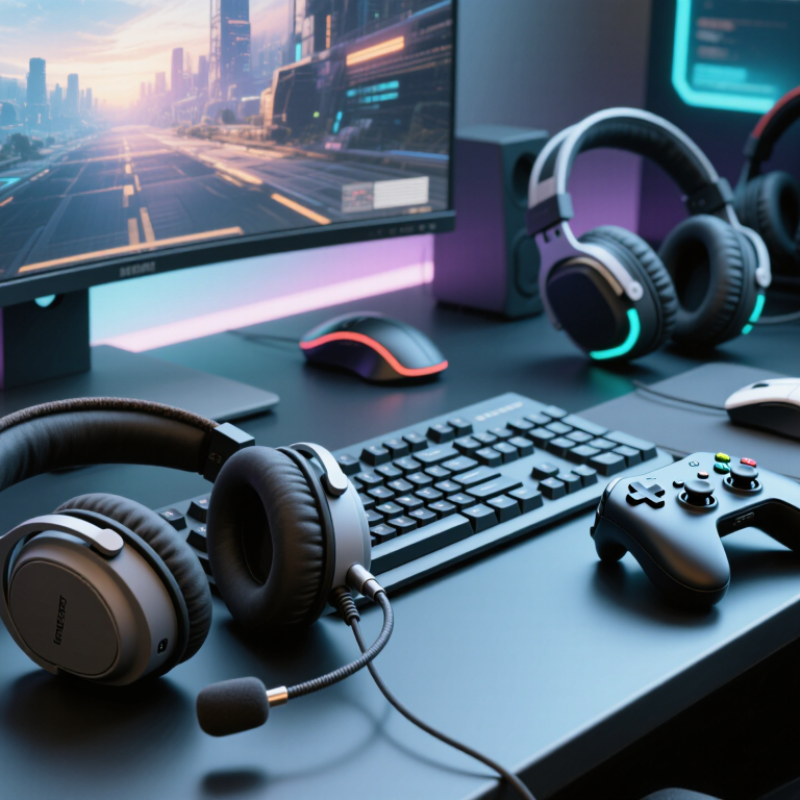
What Are the Best Low Latency Gaming Headphones in 2026?

Understanding Audio Latency in Gaming Headphones

What Are the Best Low Latency Gaming Headphones in 2026?

Understanding Audio Latency in Gaming Headphones

Audio latency is the delay between an action on screen and the sound reaching your ears. In a fast game, a footstep arriving late can make direction harder to judge. The delay may come from several points: wireless encoding, transmission, decoding, and audio processing. The connection type matters, but so do the headset, device, and game settings. Small differences add up.

A useful reference point is ITU-T Recommendation G.114. It treats one-way delays up to 150 milliseconds as acceptable for most conversational applications. That figure is not a gaming target; action games can feel less responsive well below it. Independent headphone test labs, including RTINGS, measure wireless latency across connection methods because results can vary substantially by setup. Check tests for the exact mode you plan to use, rather than relying on a general “low latency” label.

Test it in your own game. Fire a single shot, then compare the sound with the visual flash; repeat over a wired connection if available. A dedicated low-latency wireless transmitter may outperform standard Bluetooth, but compatibility matters. I’d also be cautious about treating one quick test as definitive: display delay, frame rate, and personal sensitivity can cloud the result. Real use is messy. A delay that bothers one player may barely register for another.

Comparing Wireless and Wired Connection Technologies

In low-latency gaming, the connection matters as much as the headphones themselves. Wireless is not one single technology. A dedicated 2.4 GHz USB receiver usually delivers more consistent timing than standard Bluetooth, which may add delay or shift into a lower-quality mode. That can make a sharp footstep feel slightly late. Check whether the receiver works with your console or computer before buying; compatibility is easy to overlook.

Wired headphones avoid radio interference and battery limits. Their audio reaches the device with very little added delay, making them a dependable choice for competitive play. No battery to manage. Still, the cable can snag on a chair arm, and a weak controller jack or audio adapter may affect sound quality. A wired connection is not automatically flawless.

For everyday gaming, compare the full setup, not just the connection label. A wireless receiver placed behind a metal PC case may perform less reliably than one connected to a front port. Keep it close, then test in a game with clear directional cues. Bluetooth may be convenient for casual play, while wired or low-latency 2.4 GHz often suits timing-sensitive games better. The best option depends on your device, room, and tolerance for cables; there is no perfect answer.

What Are the Best Low Latency Gaming Headphones in 2026? — Comparing Wireless and Wired Connection Technologies

Connection technology Typical added latency Gaming responsiveness Advantages Trade-offs and compatibility Best suited for
Wired analog (3.5 mm) Usually under 1 ms through the headphone connection itself Excellent; sound is effectively immediate No wireless transmission delay, charging, or radio interference; broadly compatible with analog audio outputs The connected device may add processing or buffering; a compatible headphone jack or adapter is required Competitive play and players who prioritize consistent timing
Wired USB Often about 5–20 ms for the complete audio path; varies by device and settings Very good when system buffering and audio processing are kept low Digital connection; can support built-in audio processing and microphone features Actual delay depends on the operating system, USB audio settings, and headphone processing; requires a compatible USB port PC or console setups where a direct digital connection is preferred
Dedicated 2.4 GHz wireless dongle Commonly around 10–30 ms, but implementation and measurement method affect results Very good; typically the most responsive wireless option for gaming Convenient cable-free listening; purpose-built wireless links can offer lower delay than standard Bluetooth audio Requires its own compatible receiver; performance can be affected by distance, obstacles, and radio congestion Wireless gaming on a compatible PC or console
Bluetooth with standard audio codecs Often roughly 100–250 ms end to end, depending on the codec and devices Usually noticeable in fast-paced games and when matching sound to on-screen action Convenient for phones, tablets, and general-purpose devices; no separate gaming dongle is needed Latency varies across source devices and codecs; advertised codec support does not guarantee the same end-to-end delay Casual gaming, travel, and mixed everyday use
Bluetooth with a low-latency codec or gaming mode Can be roughly 30–80 ms in supported setups; results vary substantially Better than standard Bluetooth in some combinations, but not always as consistent as a dedicated gaming link Can reduce delay without a proprietary gaming receiver The headphone and transmitting device must support the same mode; some modes can affect range, audio quality, or connection stability Casual wireless play when both devices support the same low-latency mode

How to interpret the figures: Latency estimates are broad practical guides, not guaranteed specifications. End-to-end delay can also be affected by game and operating-system audio processing, device buffering, wireless conditions, and measurement method. For the most reliable low-latency gaming, wired analog or a well-implemented dedicated 2.4 GHz connection is generally the safest choice.

Evaluating Headphones for Gaming Performance and Comfort

Low latency is useful only when game audio stays synchronized with what you see. Compare headphones on the same device, connection mode, and game; switching setups can change the result. Wireless performance depends on the connection, while a wired option can provide a useful comparison. Do not rely on a single advertised latency figure. It may not reflect your actual setup. Listen for crisp footstep direction and clear, timely reload sounds. Small delays stand out.

Comfort matters over a full session, not just during a quick store demo. Check whether the ear cups press against your glasses, whether the headband creates a hot spot, and whether the pads trap heat. A lightweight design can still feel tight after an hour. Fit varies, and I would not treat one reviewer's comfort rating as universal. A clear microphone also helps teammates understand callouts without repeated requests.

Tips: Try a familiar game for 30 minutes. Note audio timing, pressure, heat, and mic clarity, then take a short break and reassess.

Key Low-Latency Gaming Headphone Features in 2026

For competitive games, low latency means sound stays closely aligned with on-screen action. A wireless connection can be convenient, but its performance depends on the headset, transmitter, device, and game settings. Look for a dedicated low-latency connection and check whether it works with your console or computer. Bluetooth may be fine for casual play, yet its delay can vary across devices. Test before relying on it in a fast match.

Tiny delays matter. Check how footsteps, reloads, and menu clicks feel during actual play, not just in a product description. A stated latency figure is useful only when the testing method and connection mode are clear. Keep the transmitter unobstructed, and avoid crowded USB ports when possible. If timing still feels off, a wired mode can help isolate whether the wireless link is the cause.

Clear audio is not the only priority. A microphone that captures speech without forcing you to shout helps teammates hear callouts. On-headset monitoring can reveal whether your voice sounds muffled or too loud. Comfort is less measurable. Still, after an hour, warm ear cushions or a tight headband can distract from subtle audio cues. Battery life, stable software, and simple device switching also matter; honestly, software updates can sometimes change settings unexpectedly, so check them before an important session.

Choosing the Best Headphones for Different Gaming Setups

A gaming headset should match the device and the way you play. On a desktop PC, a wired USB connection is a dependable choice for competitive games. It avoids battery concerns and usually keeps audio delay low. Check that your game and operating system support the headset’s surround or chat features; extra processing can sometimes add delay.

For a console or a TV across the room, a dedicated wireless dongle is often more practical than Bluetooth. It can keep footsteps and dialogue in sync while letting you sit back. Check platform compatibility before buying, since wireless features and microphone controls can differ. Small detail, big difference: a clear mute button is easier to use mid-match than a buried software setting.

Handhelds and phones call for a lighter, compact option. A cable is simple, while Bluetooth is convenient but may introduce noticeable delay in fast action games. Fit matters, too. Warm ears can end a long session sooner than a few milliseconds of latency. Closed-back cups help block room noise; open-back designs can feel airy but leak sound. There is no perfect setup. Even careful specs cannot predict comfort after three hours, so test the fit and connection in the games you actually play.

FAQS

What does audio latency mean in gaming headphones?

It is the delay between an on-screen action and the sound reaching your ears. A late footstep can make direction harder to judge.

Is 150 milliseconds a good gaming latency target?

No. That figure is a reference for many conversations, not a target for fast games. Some players notice delays well below it.

How can I check latency in my own game?

Fire one shot and compare its sound with the visual flash. Repeat using a wired connection if available. One quick test is imperfect.

Is Bluetooth suitable for gaming?

It may be fine for casual play, but delay varies across devices. Test the exact headset, device, and connection mode you plan to use.

What should I check in latency claims?

Look for the connection mode and testing method behind the stated figure. A general “low latency” label may not match your setup.

Can a wireless transmitter reduce delay?

A dedicated transmitter may outperform standard Bluetooth. Compatibility matters, and an unobstructed transmitter can help keep the connection stable.

How should I assess comfort?

Try a familiar game for 30 minutes. Notice pressure from the headband, heat around your ears, and whether the cups press against your glasses.

What other features matter during long gaming sessions?

Clear microphone audio helps teammates understand callouts without repeated requests. Check battery life, device switching, and software settings before an important session. Software updates can change settings unexpectedly.

Conclusion

Choosing the best Low-Latency Gaming Headphones in 2026 starts with understanding how audio delay affects gameplay. Wired connections typically provide consistent, near-instant sound, while wireless options can offer greater freedom when they use efficient, well-optimized audio technology. The right choice depends on your gaming setup, preferred level of mobility, and tolerance for occasional connection or battery considerations.

Beyond latency, consider sound clarity, microphone quality, comfort during long sessions, and controls that are easy to reach. A secure fit and lightweight design can matter as much as technical performance, especially for extended play. Compare the connection options and features you actually need, then match them to your platform and playing environment. This approach helps you choose headphones that deliver responsive audio, practical comfort, and a balanced experience without paying for features that do not suit your setup.

Oliver

Oliver

Oliver is a professional marketing specialist who helps readers understand the products, services, and expertise behind his company. With a strong command of the company’s product range, he turns technical details into clear, practical information, making it easier for customers to compare options......