
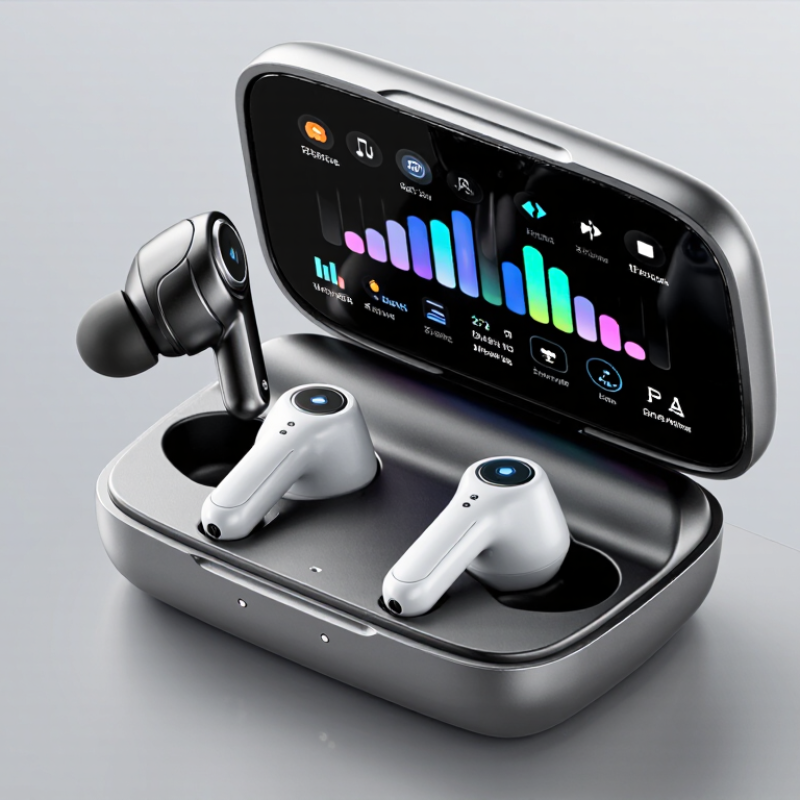
Touch-screen controls are moving from phones into the earbud case. A Touch Screen Earbud Charging Case can show battery levels, switch listening modes, or display track details on a small, bright panel. The concept is appealing. But a screen also adds parts, software, and power demands. Bigger displays do not automatically make better products.
Market context helps explain the opportunity. The Bluetooth SIG’s 2024 Market Update reports 5.4 billion Bluetooth device shipments in 2023 and forecasts annual shipments above 7.6 billion by 2028. That figure covers Bluetooth devices broadly, not earbuds alone. Counterpoint Research’s Global TWS Hearables Tracker provides more focused tracking of true wireless stereo shipments and regional demand. Together, these reports point to a large connected-audio ecosystem, while reminding buyers that product needs vary by market. Details matter.
This guide examines ten China-based suppliers associated with touch-screen earbud charging cases. It focuses on practical questions: display quality, case capacity, hinge durability, interface responsiveness, customization options, and documented quality controls. A clear sample-testing process matters more than polished product images. Ask suppliers for component specifications, production capabilities, and repeatable inspection records before comparing quotations. One limitation remains: supplier claims can change, and public information may not reveal factory-level performance. Treat this list as a starting point, verify current details directly, and test the case in hand. A small screen should solve a real user problem—not simply look impressive in a catalog.
China Top 10 Touch Screen Earbud Charging Case Suppliers
Touchscreen Earbud Cases: 2.4 GHz Bluetooth and Display Functions
A touchscreen charging case can make small settings easier to reach. Its display may show battery levels, connection status, or audio controls, depending on the design. Bluetooth operates in the 2.4 GHz band, but the earbuds usually handle the audio connection to a phone. The case screen is generally an interface, not a replacement for that wireless link. Clear icons and responsive taps matter more than decorative animations.
A useful supplier check starts with the screen itself. Ask about brightness in daylight, touch response with dry fingers, and how the display behaves near a low battery. Also check whether displayed battery readings are refreshed promptly; a stale percentage can mislead users. In busy places, nearby wireless devices may affect connectivity, although Bluetooth can adapt across channels. Small details matter. A screen that looks polished in a photo may feel cramped during everyday use.
Tips: Test the case with your own phone and earbuds before approving a sample. Try pairing, opening each menu, and placing the case in a pocket. Confirm which functions work without the phone nearby. Compare screen-on battery drain with screen-off use. Keep one concern in mind: adding controls can improve convenience, but it also adds software and power demands. Simple menus are often easier to trust.
Supplier sourcing benchmark: the entries below describe capability areas to verify, not named companies or a verified supplier ranking. Actual specifications depend on the product configuration and destination market.
| No. | Supplier Capability Area | Relevant Technical Facts | What to Verify During Sourcing |
|---|---|---|---|
| 1 | Bluetooth radio integration | Bluetooth operates in the 2.4 GHz ISM band. The earbud radio link and the charging case’s display connection are separate design functions. | Request the Bluetooth qualification details and a clear description of which devices communicate with the case. |
| 2 | Audio and control profiles | Common Bluetooth audio profiles include A2DP for audio streaming, AVRCP for media control, and HFP for hands-free functions. | Check the supported profiles, phone compatibility, and whether functions are handled by the earbuds or case. |
| 3 | Touchscreen and display assembly | A touchscreen combines a display with a touch-sensing layer and controller. Display type, resolution, brightness, and touch behavior are product-specific. | Review the display datasheet, touch response, viewing angles, and sample performance under indoor and outdoor lighting. |
| 4 | Case-to-earbud communication | The case can display earbud or case information only when the hardware and firmware provide a way to obtain that data. | Ask for a function map showing how battery status, connection state, and controls are communicated and updated. |
| 5 | Battery and charging design | Battery capacity, charging time, and operating life depend on the cell, display use, radio activity, and firmware settings. | Request the battery datasheet and test results for standby, display-on use, and repeated earbud charging cycles. |
| 6 | Charging interface and protection | USB Type-C is a connector standard; supported charging power and protocols vary by implementation. A connector alone does not establish charging performance. | Confirm the input rating, charging protocol, battery protection features, and included cable requirements. |
| 7 | Firmware and user interface | Touch menus, language support, media controls, and software updates depend on the firmware and the underlying hardware. | Test a working sample and clarify firmware ownership, customization scope, update method, and bug-fix support. |
| 8 | Mechanical and environmental testing | Ingress-protection ratings apply only to the tested configuration and conditions; a rating should be supported by a test report. | Request relevant drop, hinge-cycle, temperature, and ingress test reports for the final enclosure design. |
| 9 | Regulatory documentation | Radio, battery, and product compliance requirements vary by sales market and product design; documentation for one market may not cover another. | Identify target markets early and verify applicable test reports, declarations, and battery transport documents. |
| 10 | Production and quality control | Consistent production requires defined inspection criteria for assembly, charging, display operation, touch response, and wireless functions. | Review the sample approval process, inspection checklist, traceability, defect handling, and change-control procedure. |
Depending on its design, it may show battery levels, connection status, or audio controls. The screen is usually an interface, not the earbuds’ phone connection. Keep that distinction clear.
Usually, the earbuds connect to the phone for audio. Bluetooth uses the 2.4 GHz band, while the case screen mainly provides controls and status information.
Pair it with your own phone and earbuds. Tap through each menu, check touch response with dry fingers, and try carrying it in a pocket. Small details matter.
View it in daylight and check whether the text feels cramped. See how quickly battery readings update and what happens when the case battery gets low. A polished photo proves little.
Ask the supplier to identify offline functions, then test them directly. Some controls may depend on the earbuds or phone connection. The details can vary.
Measure usage with the display on and off under similar conditions. Record the results over a consistent period. A brief test may not tell the whole story.
Request the complete IEC 62133-2 test report, not only a certificate image. Check the tested model, cell type, report date, battery supplier, and production site. Match them against shipment documents.
Ask for charge rate, discharge load, temperature, cycle count, and capacity readings at set intervals. Look for notes about swelling, interruptions, or unusual heat. Records help, but they cannot predict every storage habit.
A Touch Screen Earbud Charging Case combines a compact charging enclosure with a display that can show useful information and support simple controls. When evaluating these products, buyers should consider how the screen works alongside 2.4 GHz Bluetooth functions, as well as practical specifications such as display size, battery capacity, and 5 V USB-C input. These details affect everyday usability, charging convenience, and the overall design.
China’s top suppliers can be compared by their OEM/ODM capabilities, minimum order quantities, production capacity, customization options, lead times, and customer support. Safety and quality checks are equally important: ask about IEC 62133-2 and RoHS documentation, battery-cycle testing, and inspection procedures. A careful comparison of product performance, costs, compliance evidence, and communication can help businesses select a supplier suited to their requirements and target market.