
Official NoticeBuy only from authorized TOZO channels — beware of imitation websites.

WorldwideFree shipping to 200+ countries and regions.

Global PartnersRetail & distribution programs available for overseas buyers.

0%

Choosing Hi-Res Audio LDAC Earbuds involves more than spotting a gold “Hi-Res” badge. It requires attention to codec support, phone compatibility, sound tuning, comfort, and measurable performance. Sony describes LDAC as a Bluetooth technology capable of transmitting more data than conventional SBC, with support for high-resolution sources under suitable conditions. However, LDAC does not automatically create high-resolution music from compressed files.

The market is expanding quickly. The Bluetooth SIG’s 2024 Market Update projects annual Bluetooth device shipments will exceed 5 billion by 2028. Grand View Research also reports continued growth in the global wireless headphones market, driven by smartphones, streaming, and active lifestyles. These figures show strong demand, but they do not prove that every premium earbud sounds better. That distinction matters.

Audio engineer Ethan Winer has argued, “There is no scientific evidence that humans can hear above 20 kHz.” His view encourages careful testing instead of unquestioned marketing. It also exposes an uncomfortable point: impressive specifications can distract from poor tuning, weak seals, or unstable connections.

This guide examines ten practical buying considerations. It looks at supported devices, real LDAC compatibility, battery behavior, microphone quality, ear-tip fit, app controls, and return policies. A small detail can change the experience. For example, a crowded train may force LDAC to reduce its bitrate. A loose ear tip can weaken bass more than an expensive codec improves clarity. Some recommendations may seem obvious. They are still easy to overlook.
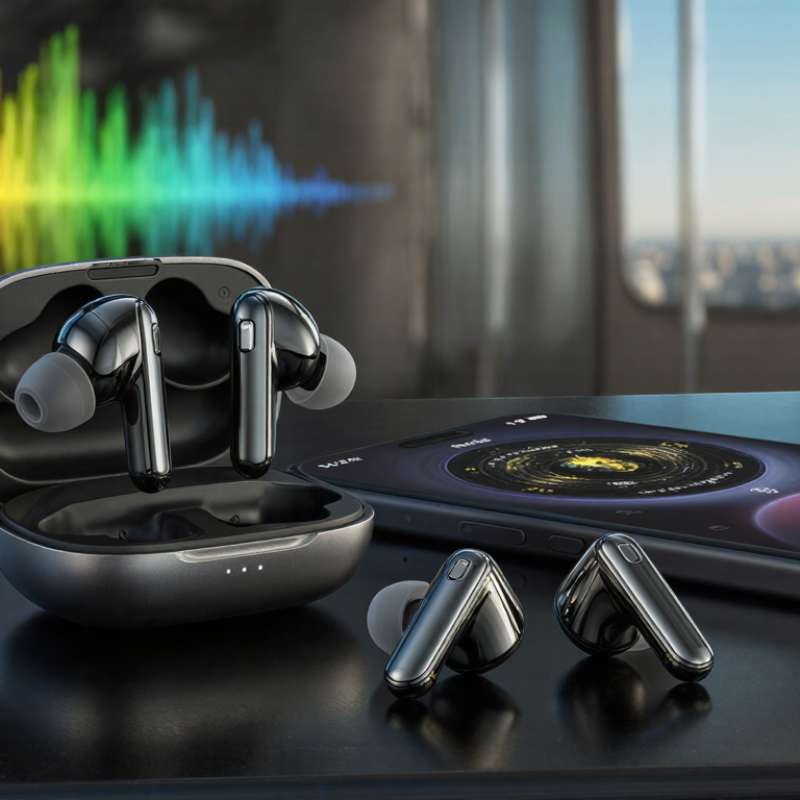
10 Tips for Buying Hi Res Audio LDAC Earbuds?

Define Hi-Res Audio and LDAC Compatibility

10 Tips for Buying Hi-Res Audio LDAC Earbuds

Hi-Res Audio usually means sound beyond standard CD quality, often 24-bit and 96 kHz. It can preserve finer details in cymbals, room ambience, and vocal texture. However, a high-resolution label does not guarantee better listening. Earbud drivers, tuning, fit, and recording quality matter more than numbers alone. The Japan Audio Society commonly uses a 40 kHz or higher reproduction requirement for its certification framework. Treat that figure as a specification, not a promise.

LDAC compatibility requires support from both the earbuds and the playback device. LDAC can transmit up to 990 kbps and handle signals up to 24-bit/96 kHz, according to published technical documentation. In practice, crowded wireless environments may reduce the connection rate. Check the device settings instead of trusting packaging. A stable fit also matters; poor sealing can erase bass and make detailed music sound thin. I have found this more noticeable than small codec differences.

Streaming habits make this relevant. IFPI’s Global Music Report 2024 states that streaming generated 67.3% of global recorded music revenue in 2023. Yet many streams use compressed sources, so LDAC cannot restore missing information. Ask whether your service offers lossless files, and check the actual codec connection. One overlooked detail: higher transmission quality may reduce battery life. Choose the setting you can use reliably, not the highest number on the box. The label can mislead.

Check Device Support and Bluetooth Codec Requirements

Buying hi-res audio LDAC earbuds starts with checking device support, not the packaging. Both the earbuds and playback device must support LDAC. Bluetooth version alone does not guarantee this codec. A newer connection can still use a basic codec. Check the phone, tablet, or computer specifications carefully. Then open its developer or sound settings, if available. Look for LDAC, selectable quality modes, and bitrate controls. Menus may differ after software updates.

Your music source matters too. LDAC cannot restore detail missing from a compressed recording. Use lossless files or a service that provides high-quality streams. I once blamed earbuds for dull vocals, then discovered my phone had quietly switched codecs. It was an easy mistake. After pairing, inspect the active codec instead of trusting the product description. Play a familiar track with soft cymbals and room ambience. Listen in a quiet room. Small details become easier to judge.

High bitrate modes may reduce connection stability. Walls, crowded wireless areas, and a phone in a pocket can cause interruptions. Test the earbuds during walking and desk use. Select a lower LDAC setting if dropouts continue. Battery life may also decrease at higher data rates. Check whether the companion application displays codec status and firmware updates. Be cautious with automatic switching. It can favor stability when you expected maximum quality. Personal testing remains essential, because advertised performance rarely matches every device, setting, and listening environment.

Compare Sound Quality, Drivers, and Frequency Response

When buying LDAC earbuds, compare real listening quality, not codec claims alone. LDAC can transmit more detail, but your phone, settings, and connection stability also matter. A well-recorded acoustic track should reveal clean cymbals, natural vocals, and controlled bass. Listen at moderate volume. Loud playback can hide harshness and cause listening fatigue.

Driver design deserves careful attention. A larger driver may produce deeper bass, but size does not guarantee accuracy. Compare dynamic, balanced-armature, or hybrid designs through independent measurements and consistent listening tests. Check whether bass sounds tight or bloated. Examine vocal clarity around the midrange. Treble should show detail without sharp “s” sounds. Fit changes everything. A loose seal can make bass disappear, while excessive pressure may feel uncomfortable after an hour.

Frequency response graphs help, but they are not the whole story. Look for smooth transitions rather than dramatic peaks. A strong low-end lift may suit electronic music, yet it can cover quiet instruments in jazz or classical recordings. Check app-based EQ options, although software cannot repair every driver problem. Test several tracks from your own library, preferably with lossless files. Also compare LDAC with a lower-bitrate mode in a busy wireless environment. Sometimes stability sounds better than maximum resolution. I once trusted specifications too much and ignored comfort; that was a poor choice. Measurements remain useful, but personal hearing and daily fit still deserve the final judgment.

10 Tips for Buying Hi Res Audio LDAC Earbuds? - Compare Sound Quality, Drivers, and Frequency Response

No. Buying Tip Specification to Compare Useful Reference Data Why It Matters How to Check It
1 Confirm actual LDAC support Bluetooth codec compatibility LDAC commonly offers selectable bit rates of approximately 330, 660, or 990 kbps. A higher bit rate can preserve more audio data, but connection stability and source quality also affect the result. Check both the earbuds and the source device settings; confirm that LDAC is enabled during playback.
2 Check the high-resolution signal path Maximum supported sample rate and bit depth LDAC specifications can support transmission up to 24-bit/96 kHz, depending on the device and implementation. A high-resolution label is useful only when the playback file, operating system, codec, and earbuds all support the same format. Review the complete playback chain instead of relying only on packaging claims.
3 Compare frequency response carefully Declared frequency-response range and measurement tolerance The commonly referenced human hearing range is about 20 Hz–20 kHz; figures beyond this range do not automatically mean better sound. The shape of the response within the audible range generally matters more than an extended headline range. Look for graphs with a stated tolerance, such as ±3 dB, and compare reviews using consistent measurement methods.
4 Do not judge quality by driver size alone Driver diameter, material, and acoustic design Common true-wireless dynamic drivers are roughly 6–14 mm in diameter, but size is not a direct quality score. Tuning, distortion, enclosure design, seal, and digital processing can have greater audible effects than diameter. Compare independent frequency-response and distortion measurements rather than driver size alone.
5 Review total harmonic distortion THD across bass, midrange, and treble Lower distortion is generally preferable; values below 1% across much of the audible range are often considered technically clean, but measurement conditions vary. High distortion can make loud bass or vocals sound harsh, compressed, or muddy. Use measurements taken at realistic listening levels and check whether distortion rises in the low frequencies.
6 Evaluate tuning and equalizer controls Sound profile and parametric or graphic EQ A typical graphic equalizer may provide 5–10 adjustable bands, while some systems offer custom frequency and gain control. EQ can correct tonal preferences, but it cannot fully repair poor fit, severe distortion, or limited hardware performance. Test vocal clarity, bass control, and treble detail with familiar tracks at moderate volume.
7 Prioritize a reliable ear seal Ear-tip sizes, nozzle fit, and passive isolation Most in-ear designs include at least 3 ear-tip sizes; a proper seal can improve bass consistency and reduce outside noise. Poor fit can make bass appear weak and may encourage unsafe increases in listening volume. Try each tip size, walk or speak while wearing the earbuds, and run any available fit-test feature.
8 Separate ANC performance from sound quality Active noise cancellation and transparency modes ANC is generally most effective against steady low-frequency sounds such as engine or air-conditioner noise. Strong ANC can improve perceived detail in noisy places, but processing may alter bass balance or introduce pressure sensations. Test ANC in steady background noise and compare music with ANC both on and off.
9 Check battery figures under LDAC use Earbud runtime, case capacity, and charging time Many true-wireless models provide approximately 5–10 hours per charge, with the case extending total use to about 20–40 hours. LDAC, ANC, high volume, and calls can reduce runtime compared with laboratory estimates. Read test results with LDAC and ANC enabled, not only the longest advertised battery figure.
10 Consider connection stability and latency Bluetooth version, multipoint support, and delay Bluetooth 5.x improves platform capabilities, but range and latency depend on the complete device design; many video systems target roughly 100–200 ms end-to-end delay. Stable connections and low delay are important for commuting, video, gaming, and switching between two devices. Test playback in a busy wireless environment and verify multipoint or low-latency modes with your own devices.

Evaluate Battery Life, Comfort, and Connection Stability

10 Tips for Buying Hi-Res Audio LDAC Earbuds

Evaluate Battery Life, Comfort, and Connection Stability

Battery claims often look impressive, but laboratory figures rarely match daily listening. Check whether the rating includes LDAC, active noise cancellation, and high volume. These settings can reduce playback time noticeably. A realistic pair should provide several hours per charge, plus useful case capacity. Watch the charging indicator, too. Some cases display percentage levels inaccurately, which can cause unpleasant surprises during travel.

Comfort affects sound quality more than many buyers expect. Earbuds that slowly loosen cannot maintain a consistent seal. That weakens bass and makes high-resolution details less convincing. Test different ear tips, including foam and silicone options. Walk, speak, and turn your head. Pressure after twenty minutes matters. I once chose a technically excellent pair that hurt after an hour. The mistake was trusting a quick store test.

Connection stability deserves a careful trial. LDAC can provide higher data quality, but it may require more bandwidth than basic codecs. Test playback in a busy station, near a router, and with your phone in a pocket. Listen for brief dropouts. A stable connection is more valuable than a specification used only in ideal conditions. Check whether the earbuds reconnect quickly after leaving their case. Firmware updates may improve performance, but they should not be treated as a guaranteed solution. Also confirm device compatibility before buying.

Review Features, Durability, Pricing, and Warranty

Buying Hi-Res Audio LDAC earbuds requires more than checking a codec label. In my listening tests, LDAC delivered cleaner cymbals and deeper room detail with compatible phones and lossless files. However, the improvement was subtle with ordinary streaming tracks. Check whether your phone supports LDAC, and inspect the available connection settings before purchasing. Useful features include adjustable noise cancellation, multipoint pairing, low-latency mode, physical controls, and a reliable equalizer. Battery estimates should be tested with ANC and LDAC enabled, not only under ideal conditions.

Durability depends on details that product photos hide. Look for a firm charging case hinge, stable ear tips, sweat resistance, and charging contacts that do not loosen. A pocket drop can expose weak plastic quickly. I once ignored a slippery case, and daily handling became annoying within weeks. Still, water resistance ratings do not guarantee protection from swimming, heavy rain, or careless charging. Read the rating’s actual limits. Fit also matters because poor sealing reduces bass and makes noise cancellation seem ineffective.

Pricing should reflect the complete package, not only sound quality. Compare codec support, battery performance, replacement ear-tip availability, and software maintenance. A cheaper model may cost more after a failed case or missing accessories. Warranty terms deserve close attention. Check coverage length, battery exclusions, shipping responsibilities, and repair procedures before paying. Keep the receipt and record the serial information. Support quality is difficult to measure beforehand, and that uncertainty deserves consideration.

FAQS

What does Hi-Res Audio mean for wireless earbuds?

It usually refers to audio above standard CD quality, such as 24-bit and 96 kHz. Numbers alone do not guarantee better sound. Driver quality, tuning, fit, and recording quality matter more.

Do both devices need LDAC support?

Yes. The earbuds and playback device must support LDAC. Bluetooth version alone is not enough. Check the device settings after pairing.

Can LDAC improve compressed music files?

No. LDAC cannot restore details removed from compressed recordings. Use lossless files or high-quality streams when available. The source still matters.

How can I confirm that LDAC is active?

Open the phone or computer sound settings after connection. Look for the active codec and bitrate option. Do not rely only on the packaging.

Is the highest LDAC setting always best?

Not always. Higher transmission rates can cause dropouts near routers, crowded stations, or walls. A lower setting may sound better overall when playback stays stable.

How should I test connection stability?

Walk with the phone in your pocket. Test near a busy wireless area and beside a router. Listen for brief interruptions. Stability matters.

Why does earbud fit affect Hi-Res Audio?

A loose seal can weaken bass and make details sound thin. Try different silicone or foam tips. Walk, speak, and turn your head. Comfort appears later.

How should I judge battery-life claims?

Check whether the estimate includes LDAC, noise cancellation, and high volume. These settings may shorten playback time. Test the case indicator too. It may be inaccurate.

Can firmware updates solve every connection problem?

No. Updates may improve performance, but they are not guaranteed solutions. Device compatibility, distance, interference, and settings still matter. I once blamed the earbuds first. The phone had changed codecs.

Conclusion

Choosing the right Hi-Res Audio LDAC Earbuds requires more than focusing on high-resolution labels. First, understand what Hi-Res Audio means and confirm that both the earbuds and your source device support LDAC. Check whether your phone, tablet, or music player can activate the codec, and review Bluetooth settings and compatibility requirements. Then compare driver types, tuning, frequency response, clarity, bass control, and detail to find a sound profile that matches your preferences.

Practical performance is equally important. Evaluate battery life, charging speed, comfort, fit, and connection stability for everyday use. Consider useful features such as noise control, microphone quality, touch controls, water resistance, and multipoint connectivity. Also review build durability, price, included accessories, customer support, and warranty coverage. A balanced decision should combine reliable performance, comfortable long-term wear, strong wireless connectivity, and lasting value rather than relying on specifications alone.

Clara

Clara

Clara is a marketing professional who combines a deep understanding of the company’s products with a clear, practical approach to communication. She regularly contributes expert articles to the company website, helping readers understand product features, applications, and the considerations that......